
Off-grid news & tips
Wire on the Mesh
The Space Coast Wire has a Meshtastic radio on the air. When a storm knocks out power or cell service, you can still reach us with a short text over free, off-grid radio.
- Node Space Coast Wire
- Short name SCW
- Channel LongFast (public)
Join SCW Alerts
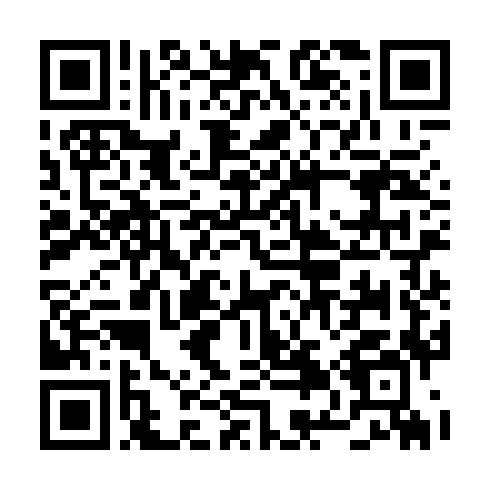
Scan with the Meshtastic app to add our SCW Alerts channel. We post only severe NWS warnings for Brevard, in exact NWS wording. It adds a channel without changing your other settings.
What is Meshtastic?
Meshtastic is free, open-source software that turns small, low-power LoRa radios into a text-messaging network that works without cell service, Wi-Fi or the internet. You pair a radio with your phone and send short messages to other radios nearby.
The radios pass messages along to each other, hop by hop, so a message can travel farther than one radio could reach on its own. In the U.S. Meshtastic uses the license-free 915 MHz band, so you don't need a ham radio license for normal use.
Why it matters on the Space Coast
- Storms. Hurricanes and tropical storms can knock out power, cell towers and internet across Brevard, sometimes for days.
- Outages. Mesh radios sip power from a small battery or solar panel, so they keep working when the grid doesn't.
- Neighbors helping neighbors. The more radios there are around the county, the farther messages can travel.
In an emergency, call 911 if you can. The mesh isn't an emergency service, and our radio isn't watched around the clock.
Get started
- Get a compatible radio. Many small LoRa boards and handhelds run Meshtastic. Check the supported devices list and pick one for the U.S. 915 MHz band.
- Attach the antenna first. Never power on a LoRa radio without its antenna connected. It can damage the radio.
- Install the free Meshtastic app for Android or iPhone and iPad, or use the web app, then pair your radio over Bluetooth.
- Set your region to US and pick a nickname. Leave the default LongFast channel as it is.
- Check your position setting. If you don't want other radios to see where you are, turn off position sharing in the app.
Reach the Wire's node
- Open the node list in the Meshtastic app and look for Space Coast Wire or SCW.
- Tap it and send a direct message. Our node is on the public LongFast channel too. A direct message keeps your tip out of the public chat, but see the tip notes above about who can see what.
- Our radio doesn't share its location, so it won't show up on mesh maps.
- Range depends on terrain, antennas and how many other radios are around to relay. If we don't show up, your message may need a few more radios in between.
Send a tip over the mesh
Mesh tips need no phone number, email or account. All you need is a radio and the free app.
Know before you send
- Every mesh message carries the sender's node ID and nickname. We see them with every tip.
- Your node ID stays the same and can sometimes be linked back to you, so mesh tips aren't anonymous.
- Messages on the public LongFast channel can be read by anyone in range, and other people's radios may pass them along or post them online.
- Send us a direct message rather than posting on the public channel. On current Meshtastic versions (2.5 or later, on both ends), direct messages are encrypted so only our radio can read them. On older versions, anyone on the channel may be able to read them. Either way, other radios can see that you sent us a message.
- Don't send passwords, account numbers or anything else you need to keep private.
Mesh tips go through the same editor review as every other tip. We check them before anything is published, and sending a tip doesn't mean we'll run a story.
Other ways to reach us
See our Contact page for more.
Mesh activity
Coming soonWe plan to show simple totals from the Wire's radio here, like how many radios it heard in the past day and how many messages it saw.
Totals only. No node names or IDs, no locations and no maps of anyone's radio.
Meshtastic® is a registered trademark of Meshtastic LLC. The Space Coast Wire isn't affiliated with the Meshtastic project.